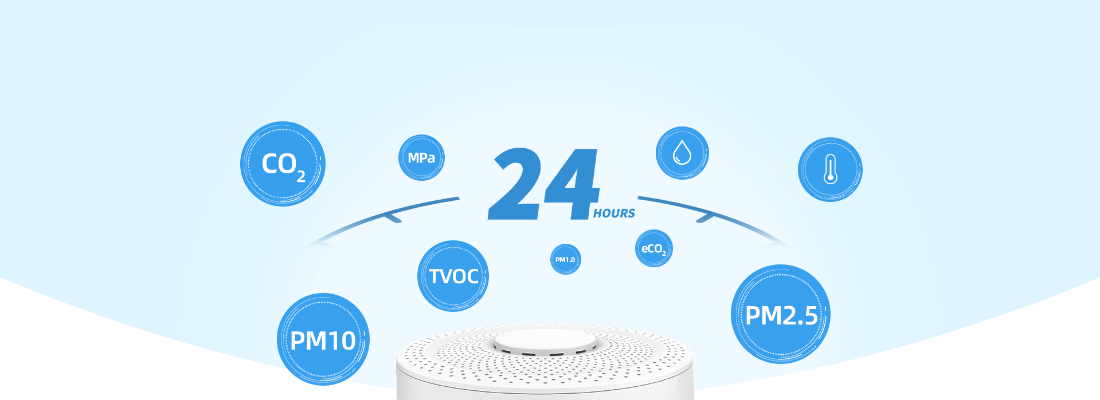
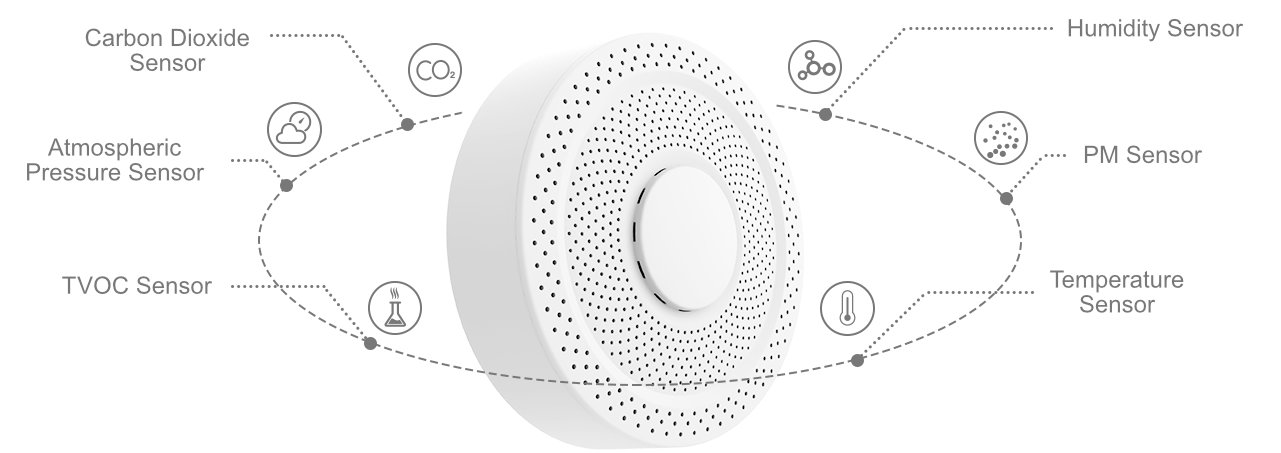
CO₂, PM1, PM2.5 and PM10 particulate matter, TVOC, temperature, humidity and pressure in one device
WiFi or 4G, RS485 port for ventilation
Works with

The UbiBot AQS1 is an air quality monitor for offices, schools, medical offices, restaurants and homes. It measures carbon dioxide (CO₂), particulate matter PM1, PM2.5 and PM10, volatile organic compounds (TVOC), temperature, humidity and atmospheric pressure. Readings go to the UbiBot cloud, and when a value goes above the threshold you set, the platform sends an alert by SMS, by email, in the app, via WhatsApp or by voice call.
For each parameter the app shows a quality level, so you can see at once whether the problem is CO₂, dust or humidity. You set the alert threshold yourself, for example 1000 ppm CO₂, when it is time to air the room.
A data SIM from a local operator works and usually costs less; in the setup you only enter the operator's APN. The UbiBot Global SIM is an option. You see the readings in the app and in the browser on the UbiBot platform.
With the UbiBot SP1 smart plug (type E plug), the AQS1 switches a fan, air purifier, humidifier, heater or air conditioner on by itself when a reading crosses the threshold. For example, with high CO₂ or PM2.5 it turns the ventilation on and turns it off again when the air is back to normal.
The AQS1 has an RS485 port (5-pin screw terminal) with the Modbus RTU protocol, through which it passes its readings to an air handling unit, air conditioning or a building management system (BMS). You can also fetch the data through the API, and the AQS1 works with IFTTT, Amazon Alexa and Google Home.
You see current readings, charts and history in the phone app and in the browser, where you also set thresholds and alerts for many devices at once. You download a report for any period as CSV (Excel) or PDF, for example a sample CSV report and a sample PDF report. The free cloud holds data from one year up to 2-3 years, depending on the number of sensors and the reading interval. You can export and delete data by date range, so the free plan is enough for as long as you use the device.
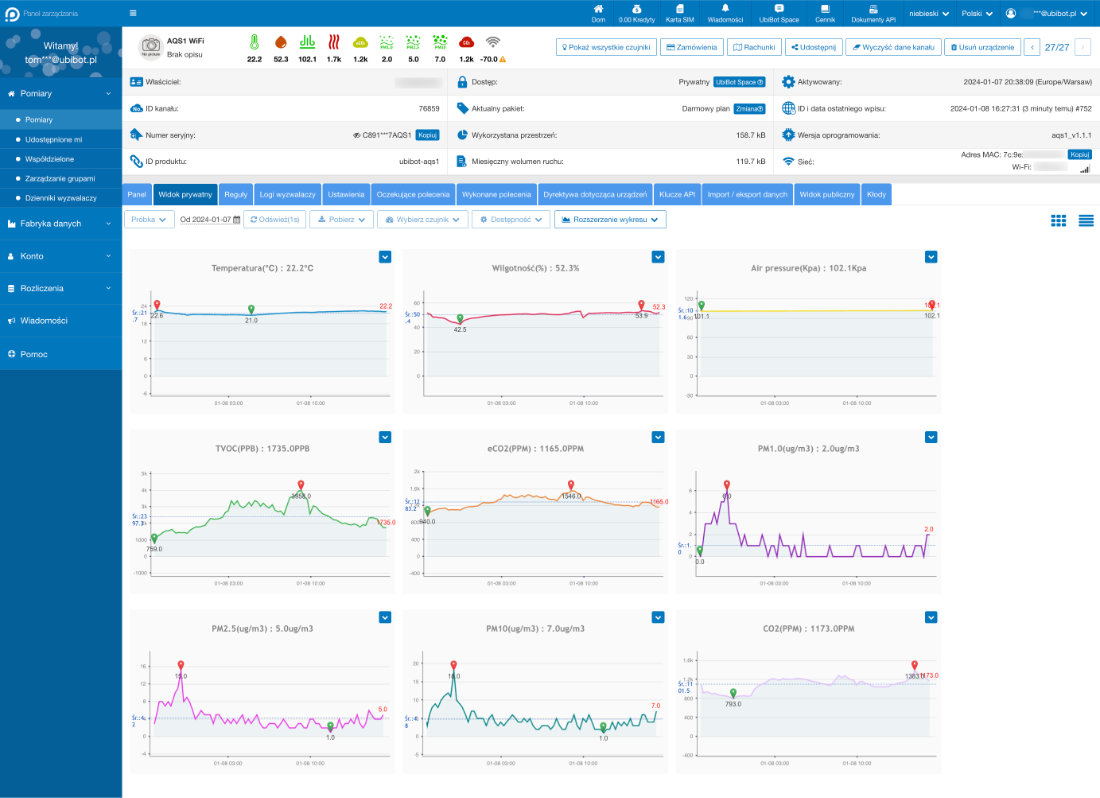
Separate thresholds for each parameter, with readings and data upload as often as every minute. The platform sends a notification:
You also get an alert when the connection is lost. App and email alerts are free; SMS, calls and WhatsApp are paid in credits according to the UbiBot platform pricing.
| Parameter | Range | Accuracy |
|---|---|---|
| Temperature | -20 to +60 °C | ±0.2 °C (0-60 °C) |
| Humidity | 0-100 % RH | ±2 % RH (10-90 % RH) |
| CO₂ | 400-10,000 ppm | ±(40 ppm + 3 %) at 400-2000 ppm |
| PM1, PM2.5, PM10 | 0-500 µg/m³ | ±10 µg/m³ (0-100 µg/m³), ±10 % (100-500 µg/m³) |
| TVOC | 0-65,000 ppb | not specified by the manufacturer |
| eCO₂ (estimated value) | 400-65,000 ppm | not specified by the manufacturer |
| Pressure | 26-126 kPa | ±50 Pa |
| HCHO (version on order) | 0-1230 µg/m³ | ±37 µg/m³ or ±10 % of full scale (25 ±3 °C) |
| Feature | AQS1 |
|---|---|
| Power | USB-C 5 V / 2 A or 12 V DC, no battery |
| WiFi | 2.4 GHz, 802.11 b/g/n, channels 1-13 |
| Cellular (4G version) | LTE Cat 1 with 2G and 3G, SIM slot |
| Wired interface | RS485 (Modbus RTU), 5-pin screw terminal |
| Memory | 300,000 readings, sent when the connection returns |
| Dimensions and weight | diameter 128 mm, height 40 mm; 188 g (WiFi), 194 g (4G) |
| Operating conditions | -10 to +50 °C, 5-95 % RH non-condensing, indoors only |
| Housing | flame-retardant ABS, not waterproof |
UbiBot devices carry the CE mark and meet RoHS requirements. The manufacturer also lists market approvals such as FCC (USA), IC (Canada) and RCM (Australia).
Does the AQS1 run on batteries? No. It needs permanent power from USB-C 5 V / 2 A or 12 V DC. If the connection drops, it stores readings in memory and sends them later.
Can the AQS1 measure outdoor air? No. It is an indoor device: it works from -10 to +50 °C without condensation, and the housing is not waterproof.
Can I order the AQS1 with a formaldehyde sensor? Yes. We order the HCHO version from the manufacturer, with no minimum quantity, with WiFi only or with WiFi and 4G. The quote gives the delivery time.
Is there a subscription for the platform? No. The free plan covers the cloud, the app, reports, and app and email alerts. Only SMS, voice calls and WhatsApp are paid.
We are Omnic, the authorised UbiBot distributor in Poland, and we sell to companies and private customers in all EU countries. The AQS1 WiFi is in stock; the 4G version and the HCHO version are ordered from the manufacturer. Tell us which version you need and where to deliver, and we will send a quote in EUR. EU companies with a valid VAT number are invoiced without Polish VAT; delivery of the version in stock takes 4-5 business days, and for versions on order the quote gives the delivery time.
Get a quote or write to [email protected]. Setup is described in the AQS1 user guide (English).


 Polski
 Deutsch
 Pусский